What Is Acronis Cyber Protect and How Does It Protect Modern Organizations?

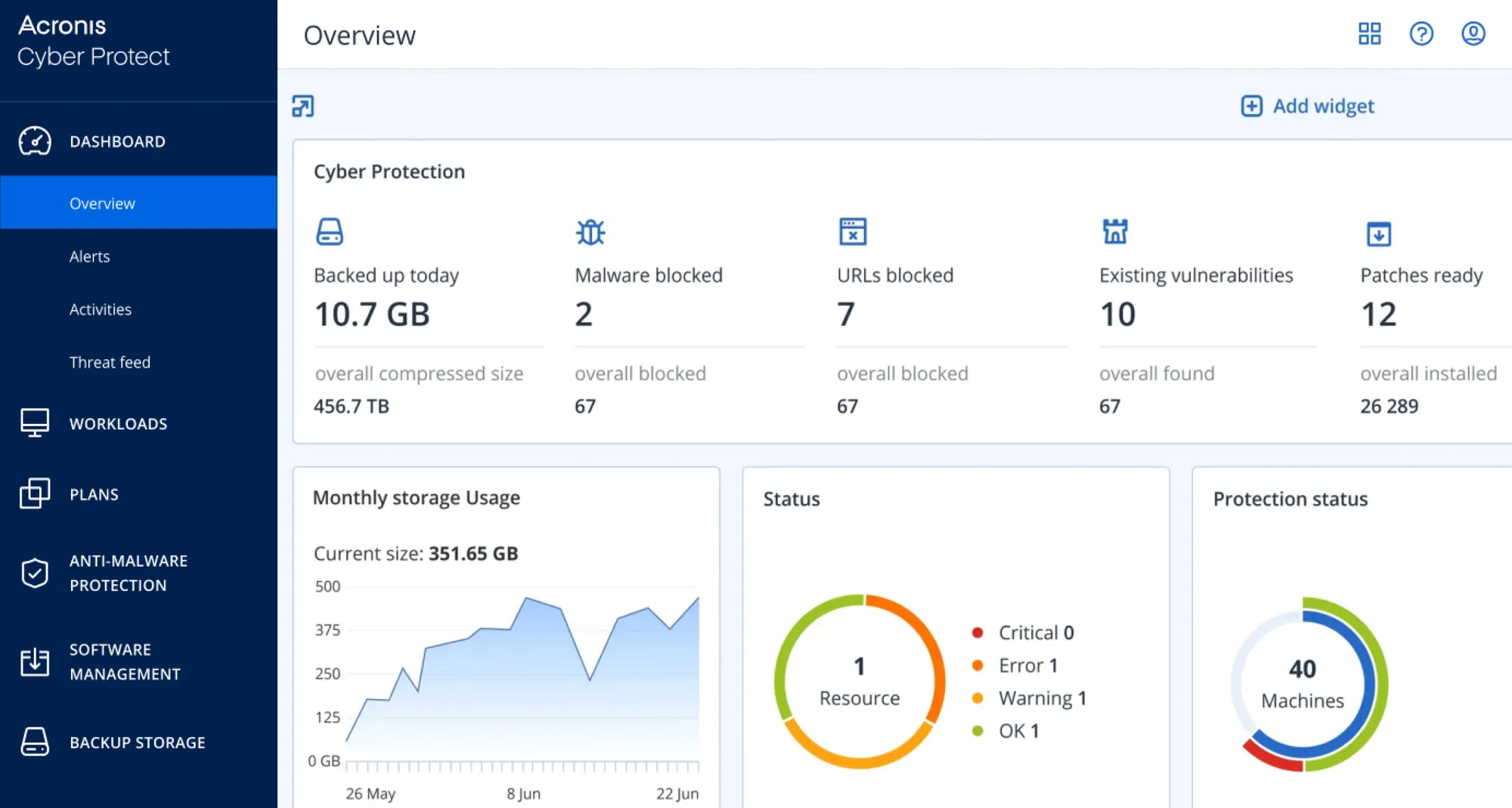
Acronis Cyber Protect Dashboard

Organizations today depend heavily on digital systems. Emails, documents, cloud platforms, endpoints, business applications, and collaboration tools are all part of daily operations.

As technology environments become more complex, organizations often find themselves managing multiple solutions for backup, cybersecurity, recovery, endpoint protection, and system management.

This can increase operational complexity while making it more difficult to maintain visibility across the environment.

Acronis Cyber Protect addresses this challenge by combining backup, cybersecurity, disaster recovery, and endpoint management into a single platform. Acronis describes Cyber Protect as a cyber protection platform that integrates backup, security, disaster recovery, endpoint management, and email archiving capabilities within one solution.

Learn more about Acronis Cyber Protect.

What Is Acronis Cyber Protect?

Acronis Cyber Protect is a platform designed to help organizations protect workloads, systems, applications, and business data.

According to Acronis, Cyber Protect combines:

  • Backup
  • Cybersecurity
  • Disaster recovery
  • Endpoint management
  • Email archiving

within a unified platform.

Rather than managing separate tools for each function, organizations can centralize multiple protection capabilities through a single console and management experience.

Why Do Modern Organizations Need Cyber Protection?

Technology risks are no longer limited to hardware failures.

Organizations today face challenges such as:

  • Ransomware attacks
  • Malware
  • User error
  • Accidental deletion
  • Data loss
  • Service disruptions
  • Security breaches

At the same time, employees increasingly work across:

  • Offices
  • Homes
  • Branch locations
  • Mobile devices
  • Cloud environments

These changes require organizations to consider both protection and recovery as part of a broader cyber resilience strategy. Acronis positions Cyber Protect as helping organizations improve cyber resilience through integrated protection and recovery capabilities.

How Does Acronis Cyber Protect Handle Backup?

Backup is one of the core components of Acronis Cyber Protect.

Acronis states that its platform supports backup for:

  • Physical environments
  • Virtual environments
  • Cloud workloads
  • Mobile environments

The platform includes capabilities such as:

  • Full-image backup
  • File-level backup
  • Continuous data protection
  • Flexible storage options
  • Rapid recovery

These capabilities help organizations maintain recovery options when data becomes unavailable or systems are disrupted.

How Does Acronis Cyber Protect Support Cybersecurity?

Cybersecurity capabilities are integrated directly into the platform.

Acronis highlights features including:

  • Anti-malware protection
  • Ransomware protection
  • Secure URL filtering
  • Threat detection
  • Security monitoring

The platform is designed to help organizations detect and respond to cyber threats while protecting important business information.

This integrated approach helps reduce the need to manage separate security and backup platforms.

How Does Acronis Cyber Protect Support Disaster Recovery?

Recovery speed is often just as important as backup itself.

When disruptions occur, organizations may need to restore systems, applications, and business data quickly.

Acronis describes its disaster recovery capabilities as helping organizations facilitate failover to secure cloud replicas and support recovery processes that allow operations to resume after incidents.

Examples of situations where recovery planning may be important include:

  • Hardware failures
  • Cybersecurity incidents
  • Service outages
  • Data corruption
  • Operational disruptions

How Does Acronis Cyber Protect Help Manage Endpoints?

Endpoints are often among the most common entry points for cybersecurity risks.

Acronis includes endpoint management capabilities designed to help IT teams manage devices more efficiently.

Examples highlighted by Acronis include:

  • Asset discovery
  • Vulnerability patching
  • Remote monitoring
  • Task automation

Acronis states that these capabilities can be managed through a unified console and agent architecture.

Which Workloads Can Acronis Cyber Protect Protect?

Acronis notes that Cyber Protect supports protection across different environments and workload types.

Examples include:

Acronis specifically references protection for Microsoft 365 workloads including SharePoint, Teams, OneDrive, and Exchange.

Why Are Organizations Looking for Integrated Protection Platforms?

Many organizations manage separate tools for:

  • Backup
  • Security
  • Recovery
  • Device management

This can increase complexity and administrative effort.

An integrated platform can provide:

  • Centralized visibility
  • Simplified management
  • Consistent policies
  • Reduced operational complexity

Acronis positions Cyber Protect as helping organizations manage multiple cyber protection functions through a single platform, policy structure, and management approach.

Which Organizations Can Benefit from Acronis Cyber Protect?

Acronis Cyber Protect can support different types of organizations and environments.

Examples include:

  • Small and medium-sized businesses
  • Educational institutions
  • Government agencies
  • Healthcare providers
  • Professional services firms
  • Manufacturers
  • Non-profit organizations

Any organization looking to improve backup, cybersecurity, recovery readiness, or endpoint management may benefit from evaluating an integrated cyber protection platform.

What Should Organizations Consider Before Implementing Acronis Cyber Protect?

Organizations typically review:

Data Protection Requirements

What information needs protection?

Recovery Requirements

How quickly must data and systems be restored?

Security Objectives

Which cyber risks are the organization trying to address?

Management Complexity

How many separate protection tools are currently being managed?

Future Growth

Will protection requirements change as the business grows?

Evaluating these factors can help organizations determine whether an integrated approach aligns with their needs.

Helpful Acronis Resources

Explore Acronis Cyber Protect

Organizations are increasingly looking for ways to simplify protection strategies while strengthening backup, cybersecurity, disaster recovery, and operational resilience.

Acronis Cyber Protect brings multiple protection capabilities together in a single platform, helping organizations improve visibility, simplify management, and support recovery readiness.

At Bintara Solutions, we help organizations evaluate backup, cybersecurity, disaster recovery, Microsoft 365 protection, and cyber resilience requirements while exploring suitable Acronis solutions for their environment.