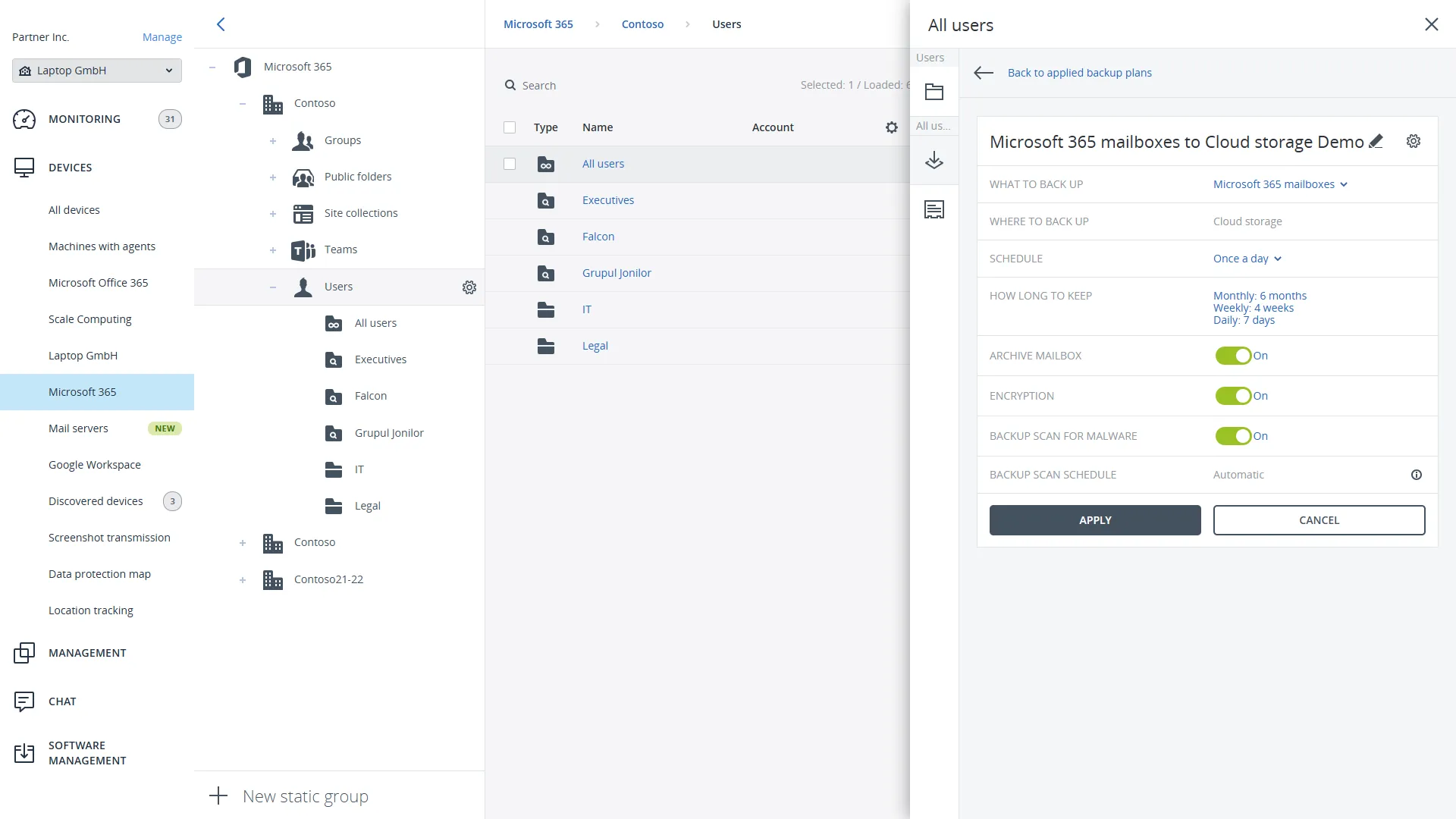
Acronis Microsoft 365 Backup: Protecting Business-Critical Data

Acronis Microsoft 365 Backup

Microsoft 365 has become a core business platform for many organizations. Employees use it every day for email, document collaboration, file storage, communication, and teamwork.

As organizations increasingly depend on Microsoft 365, protecting that data becomes more important. Business-critical information is often stored across Exchange Online, OneDrive, SharePoint, and Microsoft Teams. Acronis highlights Microsoft 365 backup capabilities that support Exchange, SharePoint, OneDrive, and Teams protection as part of its broader cyber protection platform.

This is where Acronis Microsoft 365 Backup can help organizations strengthen data protection and recovery readiness.

Learn more about Acronis Cyber Protect.

What Is Acronis Microsoft 365 Backup?

Acronis Microsoft 365 Backup is designed to help organizations protect Microsoft 365 data through dedicated backup and recovery capabilities.

Acronis includes protection for:

  • Exchange Online
  • OneDrive
  • SharePoint
  • Microsoft Teams

According to Acronis, Microsoft 365 backup is delivered through cloud-to-cloud protection that supports these workloads while helping organizations maintain access to important business information.

Why Is Microsoft 365 Backup Important?

Many organizations assume that once data is stored in the cloud, it is fully protected.

However, businesses should still consider how they would recover data if it becomes unavailable.

Examples include:

  • Accidental deletion
  • User error
  • Data corruption
  • Misconfiguration
  • Security incidents
  • Retention requirements

As more business operations move into Microsoft 365, maintaining access to critical information becomes increasingly important. Cybersecurity and backup content also often highlights emails, OneDrive data, SharePoint content, Teams data, and business records as information that organizations often need to recover when disruptions occur.

What Types of Microsoft 365 Data Need Protection?

Organizations store a wide range of information within Microsoft 365.

Exchange Online

Common examples include:

  • Emails
  • Calendars
  • Contacts
  • Business correspondence

OneDrive

Common examples include:

  • User files
  • Project documents
  • Business records

SharePoint

Organizations often store:

  • Shared documents
  • Department files
  • Collaborative content

Microsoft Teams

Teams may contain:

  • Conversations
  • Shared files
  • Meeting resources
  • Collaboration content

Acronis specifically identifies Exchange, OneDrive, SharePoint, and Teams as supported Microsoft 365 backup workloads.

How Does Acronis Microsoft 365 Backup Support Recovery?

A backup strategy is ultimately about recovery.

Organizations often evaluate:

  • Recovery speed
  • Recovery reliability
  • Data accessibility
  • Business continuity requirements

Acronis describes its platform as providing backup and recovery capabilities designed to help organizations recover applications, systems, and data after incidents.

The ability to recover data quickly can be especially important when employees depend on Microsoft 365 for daily operations.

Why Is Backup Important for Business Continuity?

Business continuity focuses on an organization’s ability to continue operating when disruptions occur.

Important information stored in Microsoft 365 may support:

  • Customer communication
  • Internal collaboration
  • Project management
  • Financial operations
  • Operational processes

If access to important information is interrupted, productivity and service delivery can be affected.

A structured backup and recovery strategy helps organizations prepare for these situations.

How Does Acronis Combine Backup and Cyber Protection?

One of the key messages from Acronis is the combination of data protection and cybersecurity.

Acronis Cyber Protect integrates:

  • Backup
  • Security
  • Disaster recovery
  • Endpoint management

within a single platform. Acronis describes Cyber Protect as combining backup, security, disaster recovery, and management capabilities to improve cyber resilience.

This integrated approach can simplify management while helping organizations address multiple protection requirements.

What Should Organizations Consider When Evaluating Microsoft 365 Backup?

Organizations often review several factors when evaluating backup solutions.

Recovery Speed

The ability to recover information quickly may affect business operations and productivity. Many of the plans emphasize recovery speed as one of the key considerations when evaluating backup strategies.

Data Growth

Business data continues to grow over time. Backup strategies should be scalable enough to support future requirements.

Accessibility

Organizations should understand how backup data can be accessed when recovery is necessary.

Security

Backup should be considered alongside broader cybersecurity planning rather than as a standalone activity.

Which Organizations Can Benefit from Acronis Microsoft 365 Backup?

Acronis Microsoft 365 Backup can support organizations of many types.

Examples include:

  • Small and medium-sized businesses
  • Educational institutions
  • Government agencies
  • Healthcare organizations
  • Professional services firms
  • Manufacturers
  • Non-profit organizations

Any organization that relies on Microsoft 365 for business operations may benefit from reviewing its backup and recovery strategy.

How Can Organizations Get Started?

Organizations typically begin by reviewing:

  • Microsoft 365 usage
  • Data protection requirements
  • Recovery objectives
  • Compliance requirements
  • Business continuity needs
  • Existing backup processes

This helps identify how Microsoft 365 data is currently protected and whether additional recovery capabilities may be required.

Helpful Acronis Resources

Protect Microsoft 365 Data with Confidence

Microsoft 365 stores some of the most important information within modern organizations. Emails, documents, collaboration content, and business records all contribute to daily operations.

Acronis Microsoft 365 Backup helps organizations strengthen recovery readiness while supporting broader cyber resilience and business continuity efforts.

At Bintara Solutions, we help organizations evaluate backup requirements, understand Microsoft 365 protection strategies, and explore Acronis solutions that support data protection, recovery, and cybersecurity goals.