How Adobe Studio Helps Teams Work Smarter with AI

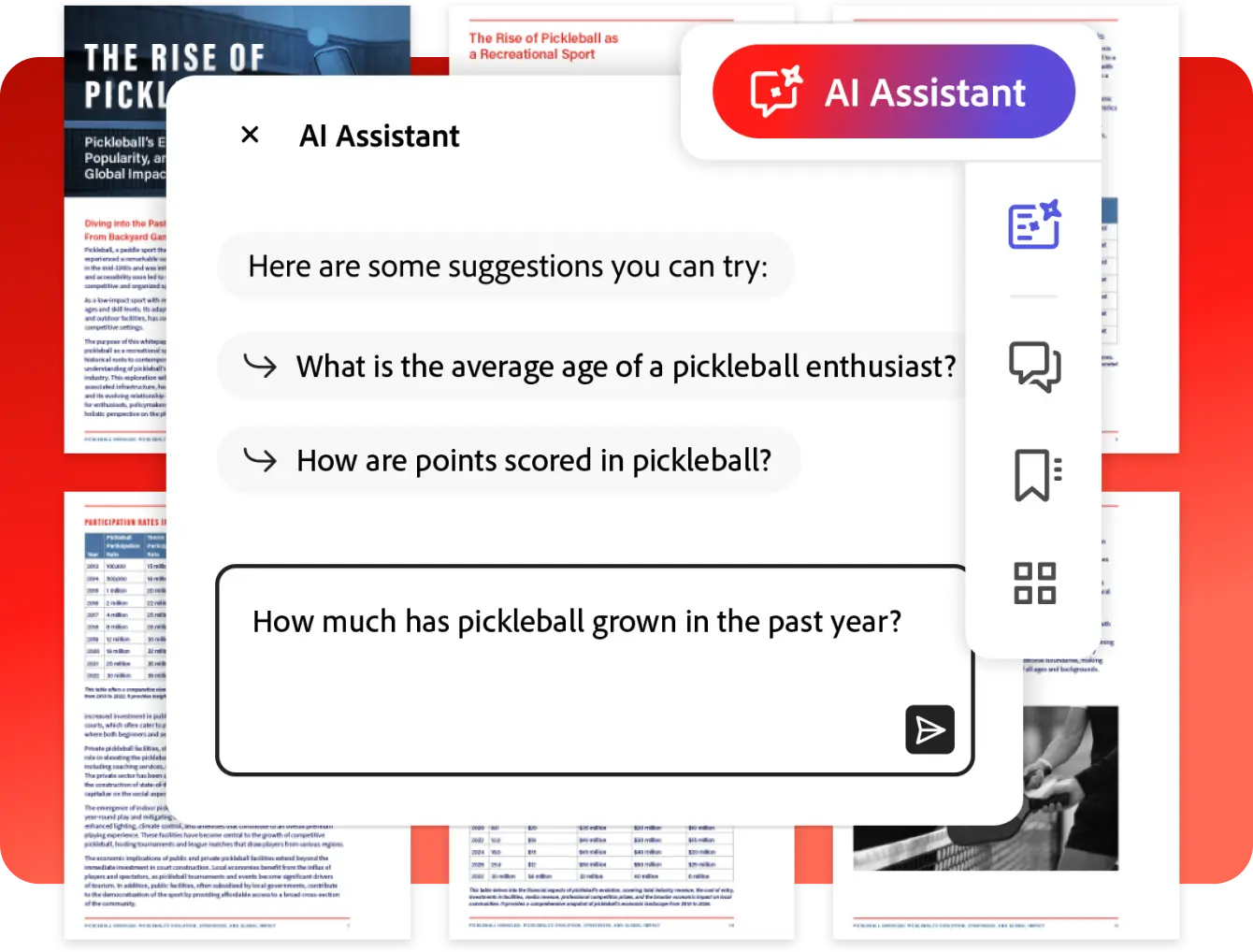
Adobe AI Assistant

Organizations create and manage an enormous amount of information every day. Reports, proposals, contracts, meeting notes, policies, presentations, research papers, and business documents all contain valuable knowledge.

The challenge is not creating information.

The challenge is finding, understanding, organizing, and turning that information into action.

This is where Adobe Studio AI can help.

Adobe Acrobat Studio brings together PDF workflows, AI Assistant capabilities, content creation tools, collaboration features, and Adobe Express functionality in a single platform designed to help teams work more efficiently. Adobe describes Acrobat Studio as an AI-powered productivity platform that combines PDF tools, AI Assistant, collaboration capabilities, and content creation into one environment.
Learn more about Adobe Acrobat Studio.

What Is Adobe Studio AI?

Adobe Studio AI refers to the AI-powered capabilities built into Adobe Acrobat Studio.

Rather than requiring users to manually work through lengthy documents, Adobe Studio incorporates AI-powered tools that help users extract information, discover insights, summarize content, and support document workflows more efficiently. Adobe highlights Acrobat AI Assistant as a core capability within Acrobat Studio.

Adobe Studio AI helps users:

  • Review documents
  • Generate summaries
  • Extract insights
  • Create presentations
  • Build content
  • Improve productivity
  • Collaborate more effectively

Why Are Organizations Looking at AI for Productivity?

Many business processes remain highly document-centric.

Teams often spend significant time:

  • Reviewing reports
  • Searching for information
  • Preparing presentations
  • Writing summaries
  • Sharing knowledge
  • Extracting insights

As document volumes increase, these manual activities can become increasingly time-consuming.

Organizations are therefore exploring AI-powered tools that can help employees focus less on administrative tasks and more on decision-making and execution. 

How Does Adobe AI Assistant Help Users Analyze Documents?

One of the most prominent features within Adobe Studio is AI Assistant.

Adobe states that AI Assistant helps users interact with documents through conversational experiences, making it easier to understand content, identify key information, and generate useful insights.

Instead of manually reviewing hundreds of pages, users can use AI-powered assistance to:

  • Identify important information
  • Locate relevant sections
  • Understand document content
  • Extract key points
  • Generate summaries

This can help reduce the time required to process large volumes of information.

How Adobe Studio AI Supports Faster Decision-Making

Business decisions often depend on information scattered across multiple documents.

Examples may include:

  • Market research
  • Financial reports
  • Project updates
  • Operational records
  • Compliance documentation

Adobe Studio introduces PDF Spaces, where teams can organize and analyze collections of documents while leveraging AI-powered insights. Adobe describes PDF Spaces as collaborative environments where teams can work across multiple documents and extract information more effectively.

By making information easier to understand and access, teams can often reach decisions more efficiently.

What Is PDF Spaces?

PDF Spaces are collaborative workspaces within Adobe Studio that help users organize documents and work with information more effectively.

Organizations can use PDF Spaces for:

  • Business projects
  • Research initiatives
  • Team collaboration
  • Knowledge management
  • Executive briefings

Adobe explains that PDF Spaces allow teams to organize multiple documents while enabling AI-powered insight extraction and collaboration.

This creates a more structured approach to information management.

How Adobe Studio AI Helps Create Content Faster

Creating business content often requires substantial effort.

Teams routinely need to create:

  • Presentations
  • Internal communications
  • Reports
  • Proposals
  • Executive summaries
  • Marketing content

Adobe Studio includes content creation capabilities that help transform information into business-ready materials. Adobe describes features that support the creation of presentations, branded content, social content, flyers, and other communication materials from existing documents.

Instead of starting from scratch, users can build on content already contained within their documents.

Turning Documents into Presentations with AI

Presentation creation is one area where teams often spend significant amounts of time.

Users may need to:

  • Review source materials
  • Extract information
  • Create presentation structures
  • Build slides
  • Format content

Adobe Studio promotes AI-powered presentation generation capabilities that can transform documents and prompts into presentation-ready content.

Potential business use cases include:

  • Executive reporting
  • Project updates
  • Sales presentations
  • Strategy briefings
  • Management reviews

How Adobe Studio AI Supports Corporate Communications Teams

Corporate communications teams frequently work with large amounts of information.

Activities may include:

  • Preparing leadership updates
  • Creating employee communications
  • Producing executive presentations
  • Sharing organizational announcements

Adobe Studio helps streamline content creation by bringing document workflows and content generation into a single environment.

This can support faster communication while helping maintain consistency.

How Adobe Studio AI Supports HR, Finance and Operations Teams

The value of AI-assisted document workflows extends beyond creative departments.

Human Resources

HR teams often manage:

  • Policies
  • Employee communications
  • Training materials
  • Compliance documents

Finance

Finance teams regularly review:

  • Financial reports
  • Budget information
  • Executive summaries

Operations

Operations teams frequently work with:

  • Procedures
  • Process documentation
  • Reporting requirements

Adobe positions Acrobat Studio as a platform that supports multiple business functions, including HR, Finance, Marketing, Operations, and Legal teams.

How Adobe Studio Maintains Security and Governance

As organizations adopt AI, security and governance remain important considerations.

Adobe states that Acrobat Studio includes built-in security controls, administrative capabilities, and governance features designed to support enterprise deployment and compliance requirements.

Adobe also notes that AI Assistant provides citations linked to source documents, helping users verify information when reviewing AI-generated insights.

This can help organizations maintain confidence in AI-assisted workflows.

Which Organizations Can Benefit from Adobe Studio AI?

Adobe Studio AI can support organizations across many industries.

Examples include:

  • Corporate enterprises
  • Educational institutions
  • Government agencies
  • Professional services firms
  • Healthcare organizations
  • Financial services companies

Any organization managing large volumes of documents may benefit from improved productivity, content creation, and information management capabilities.

Helpful Adobe Studio Resources

Explore How Adobe Studio AI Can Improve Productivity

Organizations are increasingly searching for practical ways to improve productivity without adding more complexity to existing workflows.

Adobe Studio AI helps teams extract insights, analyze documents, create content, improve collaboration, and support better decision-making through AI-powered productivity tools.

At Bintara Solutions, we help organizations explore Adobe Studio licensing, AI-powered document workflows, productivity solutions, and business use cases that support digital transformation initiatives.