
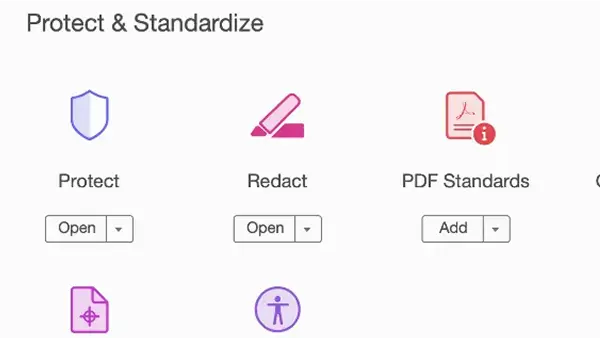
Organizations share documents every day.
Contracts, financial reports, employee records, procurement documents, legal agreements, and compliance reports often contain confidential information that should not be visible to every recipient. While collaboration is essential, protecting sensitive information remains equally important.
A single document shared with exposed confidential data may create operational, compliance, and security risks.
This is where Adobe Smart Redaction can help.
According to Adobe Acrobat Studio for Business, Adobe Acrobat Studio includes redaction capabilities that help organizations permanently remove sensitive information before documents are shared externally. Adobe positions redaction as an important component of secure document workflows and information protection.
What Is Adobe Smart Redaction?
Adobe Smart Redaction is a document protection capability that helps organizations identify and remove sensitive information from PDF documents before they are distributed.
Unlike simply hiding text or covering content visually, redaction permanently removes selected information from the document.
Organizations commonly use Adobe Smart Redaction to protect:
- Personal information
- Financial details
- Employee records
- Contractual information
- Customer data
- Confidential business information
This helps reduce the risk of accidental data exposure while supporting secure document sharing practices.
Why Sensitive Information Protection Matters
Organizations handle increasing volumes of digital documents.
Many of these files contain information that should only be accessible to authorized individuals.
Examples include:
- Salary information
- Bank account numbers
- Customer records
- National identification numbers
- Legal information
- Intellectual property
Without proper controls, this information may be unintentionally exposed when documents are shared internally or externally.
Adobe Smart Redaction helps address this challenge by ensuring sensitive content is removed before documents are distributed.
How Adobe Smart Redaction Supports Secure Document Sharing
One of the most valuable benefits of Adobe Smart Redaction is reducing the risk of accidental information disclosure.
Permanent Removal of Sensitive Content
Simply obscuring information visually may not always be sufficient.
Redaction permanently removes sensitive information from documents, helping ensure hidden content cannot be recovered later.
Improved Document Security
Organizations frequently share PDFs with:
- Clients
- Vendors
- Partners
- Auditors
- Regulators
Adobe Smart Redaction helps ensure documents only contain information that recipients are authorized to see.
Reduced Administrative Risk
Document review processes often involve manual checks.
By incorporating redaction into document workflows, organizations can strengthen security and improve consistency across teams.
Adobe Smart Redaction and Compliance Requirements
Compliance obligations continue to grow across many industries.
Organizations may need to protect:
- Personal data
- Financial information
- Healthcare records
- Employee information
- Customer documentation
Many regulations require organizations to carefully manage how information is shared and protected.
Adobe Smart Redaction helps organizations support compliance initiatives by reducing the risk of exposing confidential information during document distribution.
This can be particularly relevant for regulated industries where information governance plays a critical role.
Adobe Smart Redaction for Legal and Contract Management
Legal teams frequently share contracts, agreements, and supporting documentation with multiple stakeholders.
However, these documents often contain information that should not be visible to all recipients.
Examples include:
- Internal pricing information
- Confidential clauses
- Personal information
- Commercial terms
Adobe Smart Redaction helps legal professionals prepare documents for external review while protecting sensitive details that should remain confidential.
This supports both collaboration and information security objectives.
Adobe Smart Redaction and Business Collaboration
Modern organizations rely heavily on collaboration.
Documents are routinely shared across departments and with external stakeholders.
By using Adobe Smart Redaction, organizations can confidently collaborate while maintaining control over sensitive information.
This can improve:
- Information governance
- Client communications
- Vendor engagement
- Internal collaboration
- Regulatory compliance
Rather than restricting document sharing, redaction allows organizations to share information more securely.
Adobe Smart Redaction and Adobe Acrobat Studio
Adobe Acrobat Studio combines document intelligence, PDF management, collaboration, AI-powered workflows, and document security capabilities within a unified platform. Adobe highlights document protection and redaction as part of its broader business document management capabilities.
When incorporated into wider document workflows, Adobe Smart Redaction helps organizations:
- Improve information security
- Reduce compliance risks
- Protect confidentiality
- Enable secure collaboration
- Strengthen governance initiatives
This makes it a practical component of modern document management strategies.
Adobe Smart Redaction at a Glance
| Information Protection Challenge | Adobe Smart Redaction Benefit |
|---|---|
| Exposure of Sensitive Data | Permanent Data Removal |
| Compliance Requirements | Improved Information Protection |
| External Document Sharing | Secure Distribution |
| Contract Confidentiality | Protected Commercial Information |
| Regulatory Obligations | Reduced Compliance Risk |
| Collaboration Needs | Safer Information Sharing |
Adobe positions redaction capabilities as part of its secure document management approach for business users.
Helpful Adobe Resources
Adobe Acrobat Studio for Business
Explore document intelligence, AI-powered workflows, PDF management, and document security capabilities.Adobe Creative Cloud for Business
Learn how Adobe helps organizations manage creative and document workflows securely.Creative Cloud Enterprise Features
Discover enterprise collaboration, governance, and content management capabilities
Protect Sensitive Information with Adobe Smart Redaction
As organizations continue to share more documents across teams, customers, and partners, protecting sensitive information becomes increasingly important.
Adobe Smart Redaction helps organizations remove confidential content, reduce compliance risks, and improve document security before information is shared.
By incorporating redaction into document workflows, organizations can collaborate more confidently while ensuring sensitive information remains protected.
At Bintara Solutions, we help organizations evaluate Adobe Acrobat Studio, strengthen document security practices, and implement secure document management strategies that support compliance, governance, and business productivity.