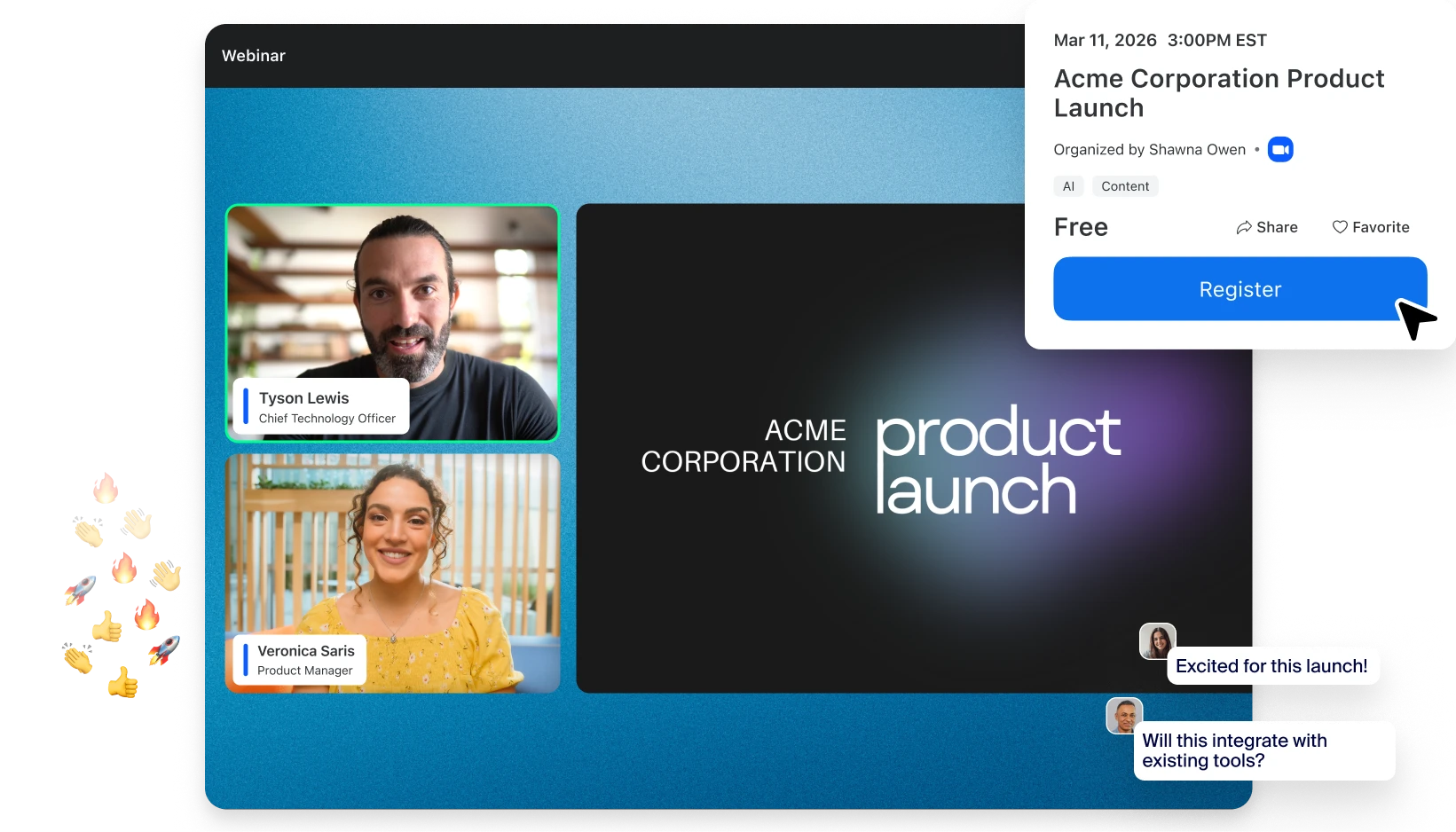
A successful webinar depends on more than selecting a date and sending invitations.
A professional Zoom Webinar requires clear objectives, the appropriate webinar license, prepared speakers, audience engagement planning, and a structured follow-up process.
Use the following checklist to prepare your next Zoom Webinar event.
1. Define the Main Objective
Every professional Zoom Webinar should have a primary objective.
Possible objectives include:
- Generate qualified leads
- Educate customers
- Launch a product
- Brief employees
- Train participants
- Announce a program
- Engage stakeholders
- Demonstrate a solution
Choosing one primary objective helps guide the webinar format, content structure, and calls to action.
2. Estimate the Live Audience
Do not base your webinar license solely on the number of invitations sent.

Instead, estimate:
- Expected registrations
- Expected attendance rate
- Internal organizing team
- Speakers and panelists
- Potential last-minute participants
- Capacity buffer
According to Zoom Webinars, webinar capacity depends on the selected Zoom Webinar license and attendee tier.
When planning a professional Zoom Webinar, accounting for attendance fluctuations helps avoid capacity issues.
Learn more about Zoom Webinars.
3. Assign Webinar Roles
To run a professional Zoom Webinar, establish clear responsibilities for each participant.
Common roles include:
- Host
- Alternative Host
- Co-host
- Moderator
- Technical Producer
- Panelists
- Q&A Coordinator
- Timekeeper
Zoom Webinar supports different role permissions that help separate technical, moderation, and presentation responsibilities.
This reduces confusion during live events.
4. Build the Registration Page
Registration is often the first interaction attendees have with your webinar.
Include:
- Clear event title
- Date and time
- Speaker information
- Learning outcomes
- Target audience
- Registration fields
- Privacy notice
- Contact information
- Post-registration instructions
A good registration experience can significantly improve attendance and engagement for a professional Zoom Webinar.
Keep registration forms short enough to encourage completion while collecting the information genuinely required.
5. Prepare Audience Engagement
Audience interaction should be planned before the webinar begins.
Decide in advance when to use:
- Polls
- Q&A
- Chat
- Reactions
- Calls to action
- Downloadable resources
According to Zoom Webinars, Zoom Webinar supports engagement features including polls, chat, Q&A, and attendee interactions.
Effective engagement planning helps make a professional Zoom Webinar more interactive and memorable.
6. Conduct a Practice Session
A live webinar should never be the first full technical test.
Zoom Webinar includes practice-session capabilities that allow hosts, alternative hosts, and panelists to prepare before attendees are admitted.
During rehearsal, test:
- Audio
- Camera
- Lighting
- Internet connection
- Slides
- Videos
- Screen sharing
- Speaker transitions
- Polls
- Q&A workflow
- Recording
- Closing call to action
Conducting a rehearsal is one of the most important steps in delivering a professional Zoom Webinar.
7. Prepare a Backup Plan
Even well-planned webinars can encounter technical issues.
Prepare:
- Backup copies of presentations
- Speaker contact information
- Alternative presenters
- Emergency communication channels
Assign someone who can continue moderating if the host experiences a technical problem.
This helps maintain continuity and professionalism throughout the event.
8. Follow Up Quickly
The webinar does not end when the broadcast stops.
After the session:
- Review attendance reports
- Analyze poll responses
- Review audience questions
- Send promised resources
- Share recordings when appropriate
- Contact high-intent participants
- Record lessons learned
Post-event follow-up often determines the long-term success of a professional Zoom Webinar, particularly when the objective involves lead generation or customer engagement.
Professional Zoom Webinar at a Glance
| Planning Area | Key Action |
|---|---|
| Objectives | Define a clear webinar goal |
| Registration | Create an optimized registration page |
| Audience Size | Estimate attendance accurately |
| Team Roles | Assign moderators, hosts, and panelists |
| Engagement | Plan polls, Q&A, and interactions |
| Rehearsals | Conduct a complete practice session |
| Contingencies | Prepare backup plans |
| Follow-Up | Review data and engage attendees |
Helpful Zoom Webinar Resources
Zoom Webinars
Explore webinar capabilities, attendee capacities, registration features, and audience engagement tools.Zoom Events and Webinars Resources
Learn more about webinar management, virtual event planning, and audience engagement strategies.Zoom Support for Webinars
Access technical guidance, webinar configuration information, and administrator resources.Zoom Events
Discover advanced event management features for larger virtual and hybrid events.
Plan Your Webinar with BINTARA
Delivering a successful professional Zoom Webinar requires more than choosing a platform. It requires audience planning, speaker preparation, engagement strategies, technical readiness, and post-event follow-up.
BINTARA can assist with Zoom Webinar licensing, attendee capacity planning, webinar best practices, and event readiness discussions.
