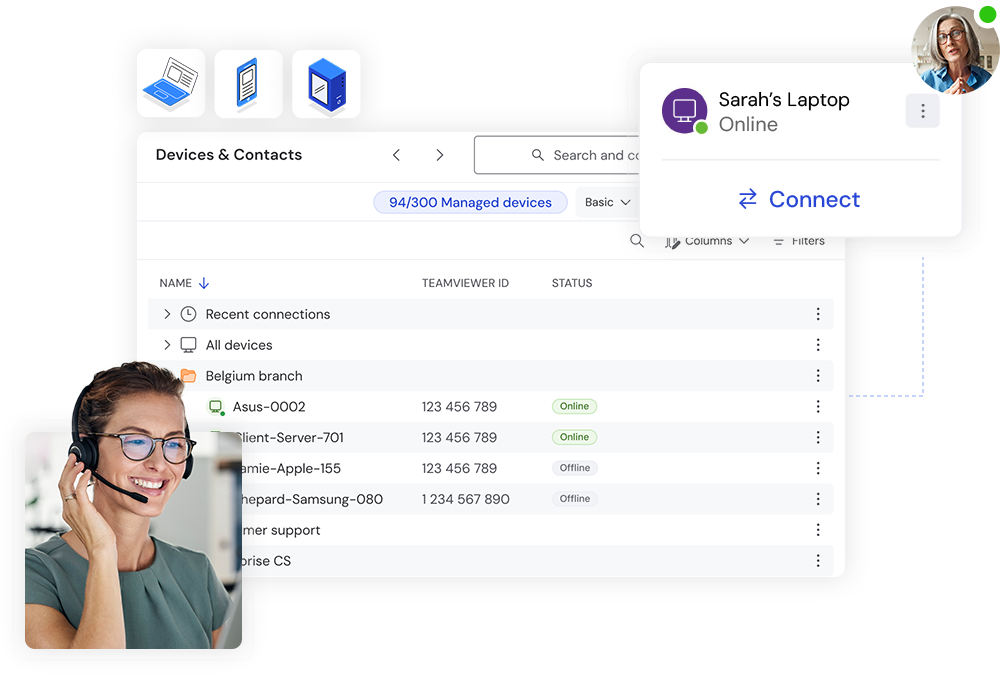
TeamViewer for IT Support: Managing Devices Across Multiple Locations

TeamViewer IT Support

Supporting users across multiple offices, branches, campuses, or business locations can be a challenge for IT teams. As organizations grow, the number of devices, users, and support requests often increases as well.

When problems occur, IT teams need a reliable way to troubleshoot issues, provide assistance, and maintain business continuity without constantly travelling between locations.

This is where TeamViewer for IT Support can help.

TeamViewer allows IT teams to remotely access devices, provide technical assistance, troubleshoot problems, and support users regardless of location.

Learn more about TeamViewer Remote Support Solutions.

What Is TeamViewer for IT Support?

TeamViewer for IT Support refers to using TeamViewer’s remote connectivity platform to support employees, devices, and systems remotely.

Organizations often use TeamViewer to:

  • Troubleshoot technical issues
  • Access devices remotely
  • Support branch offices
  • Assist remote employees
  • Reduce downtime
  • Improve support responsiveness

Instead of travelling to a physical location, support personnel can connect directly to devices and resolve many issues remotely.

Learn more through the TeamViewer Official Website.

Why Is IT Support Becoming More Complex?

Modern IT environments are significantly different from those of the past.

Employees may work from:

  • Head offices
  • Branch offices
  • Home offices
  • Customer locations
  • Shared workspaces

Organizations also manage:

  • Laptops
  • Desktop computers
  • Servers
  • Mobile devices
  • Shared workstations

As a result, support teams need tools that allow them to provide assistance without being limited by physical location.

How Does TeamViewer for IT Support Work?

TeamViewer creates secure remote connections between support personnel and end-user devices.

Once authorized, IT staff can:

  • View and control devices remotely
  • Diagnose problems
  • Configure settings
  • Install updates
  • Transfer files
  • Provide technical assistance

This allows support activities to be completed without requiring an on-site visit.

How Can TeamViewer Support Multiple Branch Offices?

Organizations with multiple locations often face common support challenges.

Examples include:

  • Delayed troubleshooting
  • Travel costs
  • Limited IT resources
  • Inconsistent support quality

TeamViewer allows centralized IT teams to provide support across multiple branches without having to physically visit each site.

Common Branch Support Scenarios

  • Printer troubleshooting
  • Software updates
  • Application support
  • System configuration
  • User assistance
  • Device maintenance

By resolving many issues remotely, organizations can often reduce support delays and operational disruption.

How Does TeamViewer Help Resolve Issues Faster?

Speed is an important factor for IT support teams.

When users cannot access systems or applications, productivity may be affected.

TeamViewer allows support teams to:

  • Connect quickly
  • View problems directly
  • Troubleshoot in real time
  • Reduce diagnostic delays

This can help shorten the amount of time users wait for assistance.

Examples of Common Support Requests

  • Application errors
  • Login issues
  • Device performance problems
  • Network troubleshooting
  • Software installation support

Rather than relying solely on verbal descriptions, IT staff can directly observe and investigate the issue.

How Does TeamViewer Support Remote Employees?

Hybrid work has increased the number of employees working outside traditional office environments.

Remote workers often require the same level of support as office-based staff.

Common remote work support scenarios include:

  • VPN assistance
  • Software troubleshooting
  • System configuration
  • Device setup
  • Connectivity issues

TeamViewer helps support teams provide assistance regardless of where employees are working.

What Is Unattended Access?

Unattended access allows authorized administrators to access devices even when users are not present.

Organizations frequently use unattended access for:

  • System maintenance
  • Software deployment
  • Device monitoring
  • Server administration
  • After-hours updates

This capability can improve efficiency by allowing IT teams to perform maintenance activities without interrupting end users.

Which Devices Can TeamViewer Support?

TeamViewer can support a range of business devices.

This flexibility makes TeamViewer useful for organizations managing different types of endpoints.

Why Do Organizations Use TeamViewer for IT Support?

Organizations often adopt TeamViewer to improve support efficiency and operational responsiveness.

Benefits may include:

Reduced Travel Requirements

Many support issues can be resolved remotely.

Faster Response Times

Support teams can connect directly to affected systems.

Improved Productivity

Users spend less time waiting for assistance.

Centralized Support

A single IT team can support multiple locations.

Better Resource Utilization

Technical staff can focus on solving problems rather than travelling between sites.

Which Organizations Can Benefit from TeamViewer for IT Support?

TeamViewer is commonly used across many industries.

Examples include:

  • Educational institutions
  • Government agencies
  • Healthcare providers
  • Manufacturers
  • Financial services organizations
  • Professional services firms
  • Retail businesses
  • Managed Service Providers (MSPs)

Any organization supporting users across multiple devices or locations may benefit from remote support capabilities.

What Should Organizations Consider Before Deploying TeamViewer?

Before selecting a remote support solution, organizations typically review:

Number of Supported Devices

How many devices require support?

Number of Support Staff

Who will provide remote assistance?

Security Requirements

What access controls are required?

Branch Locations

How many sites require support?

Remote Work Requirements

Do employees need support outside the office?

Evaluating these requirements helps organizations determine which remote support capabilities best fit their environment.

Helpful TeamViewer Resources

Improve IT Support Across Every Location

Supporting users across multiple offices, remote work environments, and branch locations requires reliable remote connectivity.

TeamViewer helps IT teams troubleshoot faster, reduce travel requirements, improve response times, and provide support from almost anywhere.

At Bintara Solutions, we help organizations evaluate TeamViewer licensing, remote support strategies, hybrid work requirements, and secure remote access solutions that align with business needs.