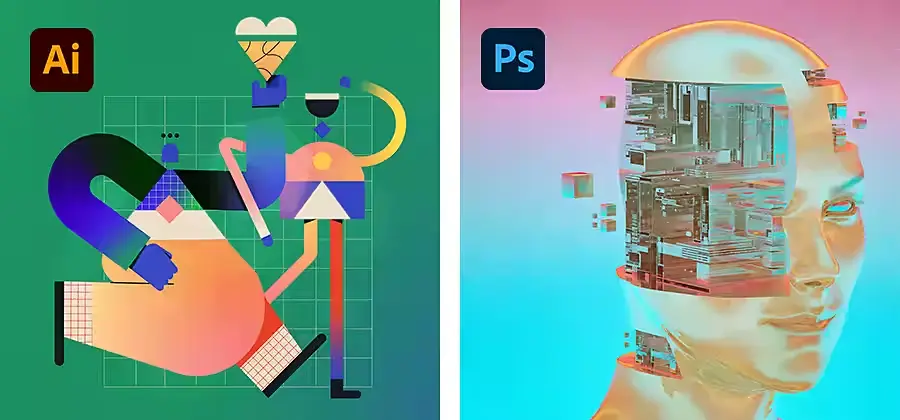
Photoshop vs Illustrator: Which Adobe Design Tool Should You Choose?

Adobe Illustrator and Photoshop

When organizations start exploring Adobe Creative Cloud, one of the most common questions is:

Photoshop vs Illustrator: which Adobe design tool should you choose?

Both applications are widely used by creative professionals, marketing teams, corporate communications departments, and education institutions. However, they are designed for different purposes and choosing the right one can significantly improve productivity and content quality.

While Photoshop focuses on image editing and visual content creation, Illustrator specializes in vector graphics, branding, and scalable design assets.

Understanding the strengths of each application can help your organization invest in the right Adobe Creative Cloud tools for your needs.

Learn more about Adobe Creative Cloud.

Photoshop vs Illustrator: What's the Difference?

The simplest way to understand the difference is:

Photoshop works primarily with pixels, making it ideal for editing photos and creating digital graphics.

Illustrator works with vectors, allowing graphics to be scaled infinitely without losing quality.

When comparing Photoshop vs Illustrator, the right choice depends on the type of content your team creates most frequently.

What Is Photoshop Best Used For?

Photoshop is Adobe’s industry-leading image editing application.

It is commonly used for:

  • Photo editing
  • Social media graphics
  • Marketing visuals
  • Digital advertisements
  • Website graphics
  • Product images

Marketing teams often rely on Photoshop to create attractive visual content for campaigns, websites, and digital communication channels.

Because Photoshop excels at working with images, it is a popular choice for organizations that produce digital content regularly.

Common Photoshop Use Cases

✅ Social media posts
✅ Website banners
✅ Event promotions
✅ Product photography
✅ Marketing campaigns
✅ Photo retouching

If your team spends most of its time editing photos or creating visual marketing content, Photoshop is often the best fit.

What Is Illustrator Best Used For?

Illustrator is Adobe’s vector graphic design application.

Unlike Photoshop, Illustrator creates graphics that remain sharp regardless of size.

This makes Illustrator particularly useful for:

  • Logo design
  • Brand assets
  • Icons
  • Infographics
  • Technical illustrations
  • Corporate branding

Organizations that require high-quality logos and branded assets often rely on Illustrator because these assets may need to be used across websites, reports, signage, merchandise, and marketing materials.

Common Illustrator Use Cases

✅ Logo design
✅ Brand identity creation
✅ Icons and symbols
✅ Infographics
✅ Illustrations
✅ Marketing graphics

If your projects revolve around branding and scalable design assets, Illustrator is usually the stronger choice.

Photoshop vs Illustrator: Side-by-Side Comparison

The comparison clearly shows that Photoshop and Illustrator serve different creative needs rather than directly competing with each other.

Photoshop vs Illustrator for Business Teams

Different departments often have different design requirements.

Marketing Teams

Marketing teams commonly use both Photoshop and Illustrator.

Photoshop helps create campaign visuals, while Illustrator is useful for branded graphics, icons, and infographics.

Corporate Communications Teams

Communications teams often benefit from Illustrator for branding assets and Photoshop for visual content used in reports, announcements, and employee engagement materials.

Education Institutions

Universities and colleges frequently use Photoshop and Illustrator for:

  • Student assignments
  • Creative projects
  • Research posters
  • Design coursework
  • Multimedia content

Design and Creative Teams

Creative professionals generally use both applications because most projects involve a combination of image editing and vector-based design.

Can Photoshop and Illustrator Work Together?

Yes.

In fact, many organizations use Photoshop and Illustrator together as part of a connected Adobe Creative Cloud workflow.

A typical workflow might look like this:

  1. Edit images in Photoshop
  2. Create logos and graphics in Illustrator
  3. Combine everything into marketing materials, reports, websites, or campaigns

Using both applications allows teams to take advantage of each application’s strengths while maintaining a consistent creative process.

Which Adobe Tool Should You Choose?

When deciding between Photoshop vs Illustrator, ask yourself a simple question:

What type of content does your team create most often?

Choose Photoshop if you need:

  • Image editing
  • Marketing visuals
  • Social media graphics
  • Digital advertising content

Choose Illustrator if you need:

  • Logos
  • Branding assets
  • Icons
  • Infographics
  • Scalable graphics

Many organizations ultimately adopt both applications because they complement each other and support different stages of the creative process.

Helpful Adobe Resources

  • Adobe Creative Cloud – Explore Adobe applications for design, branding, video production, and content creation.

  • Adobe Firefly – Learn how Adobe Firefly supports AI-powered content creation and creative workflows.\

  • Adobe Firefly Enterprise Solutions – Discover enterprise AI solutions for scalable creative production and content creation.

Photoshop vs Illustrator: Make the Right Choice for Your Organization

The decision between Photoshop and Illustrator does not have to be complicated.

Photoshop is ideal for image-focused content and visual marketing materials.

Illustrator is ideal for logos, branding, and scalable design assets.

Understanding how your team creates content will help identify the right Adobe Creative Cloud applications and ensure you get the most value from your investment.

At Bintara Solutions, we help organizations evaluate Adobe Creative Cloud licensing, identify the right Adobe applications for different departments, and build creative workflows that support marketing, communications, education, and business objectives.